drupal

Anchor CMSs custom CSS and javascript comes to Drupal through Code per Node

Anchor CMS is getting more attention as of late with one of its key features being able to add custom javascript and CSS per blog post. This allows a lot of custom design to take place which differs per page. An example of this can be found on the creators blog.

Drupal is lacking this feature, but as is the way with Drupal, "there's a module for that". Code per Node does this and more allowing you to add custom CSS and javascript to both blocks and content types as a whole rather than individual nodes.

Drupal 8 dev thoughts

Having just installed the Drupal 8 development version on to a local test site, it has raised a few thoughts.

Of course a lot of these could be fixed or the majority may disagree but either way. We have a long time before Drupal 8 will be shipping and as such have a lot of time to sort out any problems.

"Cannot redeclare class themeregistry" when trying install Drupal 7

When attempting to install Drupal 7 on a server which has a few Drupal 6 installs running without a problem I got a white screen of death after selecting the profile I want to use.

Looking in the log file were quite a few lines stating:

[Wed Feb 08 10:19:55 2012] [error] [client 78.86.177.75] PHP Fatal error: require() [function.require'>function.require]: Cannot redeclare class themeregistry in /var/www/microsites/www/includes/install.inc on line 1120

The problem turned out to be an issue with an APC configuration.

Upgrade to Drupal 7

I have finally got around to upgrading the old site to Drupal 7.

Site is very simple just using a basic view for the blog listing (which I could of just used the standard river of news, but it's nice to know that I can control it whenever I want).

The upgrade process was very simple, there were a couple of issues with modules not working properly mainly due to PHP 5.3 errors but they were easy to overcome or I just got rid of the module as it wasn't really needed.

Adding color module support to your theme in Drupal 7

I have been playing about with creating my own base theme which I can use to easily roll out new sites quickly and easily for those who don't want to pay for a bespoke design.

The main problem with this is ending up with one theme for all, to get around this with out having to do any development work is use Drupal's core colour module which allows the user to select the colours of certain areas.

This will just show you the basic code that is required for use with a theme using the PHPTempalte engine with some comments on what the code is doing at parts.

Sorry but I will be using the English spelling, too used to typing with the 'u'.
Creating custom pane styles in Drupal 6

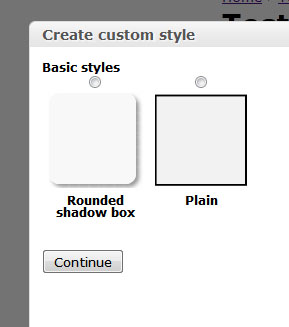
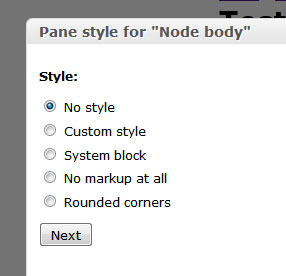
In Panels you can change the style of panes very easily using some presets from the Panels module.

panels-2.jpg

This tutorial will show you how to define your own styles as well as add a settings form to it so you can allow users to further configure the styling of the pane.

panels-3.jpg

Creating your own personal bookmark site like Delicious in Drupal 7

This guide will show you how to make a bookmarking site similar to Delicious where you can add a URL with an optional description and tags which can then be searched on using the internal search or browse using tags.

Creating a comma separated list of taxonomy terms for a node

The following code snippet will provide a comma separated list of taxonomy terms for a given node.

Use panels to override the node output in Drupal 7

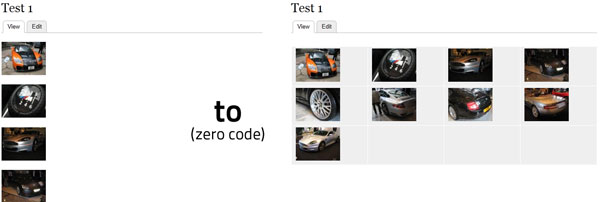
When creating an image gallery in Drupal using CCK/Fields the resulting output is just a string of divs resulting in a single column of images. This tutorial will show you how to use Views and Panels to override the standard node output to display the images of the gallery in a grid.

result.jpg

Create an album based image gallery in Drupal 7 using fields and views

This is a follow up tutorial on the popular Create an album based image gallery in Drupal 6 using CCK and views but for Drupal 7. The tutorial will assume that you have Drupal 7 already installed and ready for use. The following contrib modules are required:

I personally prefer Colorbox to some of the other lightbox modules, but feel free to use whichever one you want, they should all work in the same way. An alternative can be found in Shadowbox. Lightbox2 doesn't have a D7 release at the time of writing and Thickbox has been discontinued, with the maintainer now working on Colorbox.

Pages

Subscribe to drupal